
How to Play BALL DROP GAME
Movement, cube drops, camera, and mobile HUD for the Zapland marble tycoon.
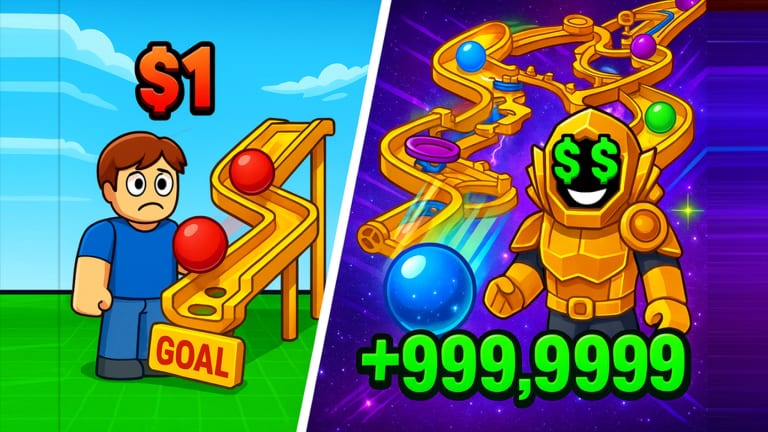
BALL DROP GAME plays like a hybrid: a Roblox tycoon you walk around, a marble run you assemble, and leftover obby / cart teleports from the Zapland years. If the HUD feels noisy, it is because those layers still share one server. This page is the control and camera reference. Strategy lives in maze and drops and Getting Started.
Keyboard and mouse (PC)
| Action | Default |
|---|---|
| Move | W A S D |
| Jump | Space |
| Camera | Right mouse drag, or Shift lock |
| Interact / claim | E or on-screen prompt |
| Drop / shoot cube | HUD button or click the dropper |
| Zoom | Mouse wheel |
Enable Shift Lock before you walk the maze catwalks. The yellow tracks in the official art are narrower than they look, and falling off a half-built run wastes a cube. First-person is optional; most builders stay in third-person so they can see the collector at the bottom of the ramp.
If jump is bound to the same key you use to submit the code field, change it before you open how to redeem. Submitting an empty code is the usual result.
Touch and gamepad
On mobile, the jump button can cover the Codes / Daily icons. Rotate to landscape, lower the HUD scale in Roblox settings if your device allows it, and tap the dropper rather than trying to flick a cube like a physics sandbox. Gamepad uses the left stick to move and A / bottom face button to jump; map a face button to interact so you can claim daily login without opening the virtual keyboard.
Seven-player servers plus dozens of simulated balls will chug on low-end phones. Drop graphics to manual 1–3 before you blame the dropper for “not shooting.” First Cube Shot! only awards if the projectile actually spawns.
The three play loops
1. Tycoon / maze. You are on foot. You buy or snap track pieces, aim the dropper, and watch cubes (the live badge language) travel a marble run into a collector. That is the 2026 fantasy and the one maze and drops optimizes.
2. Ball Obby. A trigger turns you into a ball. Rolling physics replace jump timing. This is how you chase BallObby Master and the mushroom collectible. Full route notes: Ball Obby.
3. Side boards. Bingo, daily login, Cart Ride, Rich Simulator, and Cat Meme RP are menus or teleports, not WASD arenas. You still need interact to claim. Rank whether they are worth tonight with the activities tier list.
Knowing which loop you are in stops the common new-player complaint that “the ball will not jump.” In the tycoon loop you do not jump the cube; you drop it. In Ball Obby you are the ball.
Camera habits that save cubes
- Keep the collector in frame when you upgrade the dropper. Silent overshoots look like a broken spawner.
- After placing a new ramp, send one test cube before you AFK. A 2-stud gap will dump the next hundred off the map.
- When friends join, stand off the track. Collision on a 7-player server can knock a cube (or you) into the void.
- If the maze is dark, raise brightness instead of planting decorative lights that clip hitboxes.
Menus you will actually use
- Daily / Rewards — streak and some UGC. See daily rewards.
- Codes / Secret — secret codes.
- Bingo — Bingo and UGC.
- Inventory / tools — Cloak, Zap Gun, FireBall Punch once granted. Equip notes in collectibles.
- Teleport or lobby signs — Ball Obby, Cart Ride, RP worlds.
There is no crouch-tech or wall-hop required for the tycoon. If a YouTube video is showing Parkour Obby tech, it is probably not this place — or it is the leftover obby wing.
Performance and accessibility
Turn off extra shadows if cube physics hitch. Mute music if you are reading codes off a second screen. The experience maturity listing is Moderate, ages 16+, with unplayable gambling content flagged by Roblox even though the page copy says no gambling systems are in the game; parents should still read the official disclaimer. Flashing VFX can appear on UGC popups; there is no dedicated reduced-flash toggle documented.
A 10-minute practice drill
- Spawn, Shift-lock on, walk the perimeter of your plot so you know where the void is.
- Drop three cubes and watch the full path. Adjust one piece if any cube leaves the rail.
- Open daily login and the code box once, then close them so you remember the icons.
- Locate the Ball Obby teleport but do not enter until the drill is done.
- Drop until First Cube Shot is yours, then stop and screenshot the maze. Tomorrow’s you will thank you.
When the drill is easy, graduate to maze and drops for badge math and to Getting Started if you still need the social checklist. Patch notes that change binds will land on the changelog.
Frequently Asked Questions
Quick answers for Zapland, codes, badges, and maze drops.
How do I drop a ball or cube?
Use the HUD drop / shoot control or click the dropper while on foot. You do not jump the projectile in the tycoon loop. Confirm the shot with First Cube Shot.
Why can I not jump as the ball?
You are in Ball Obby physics. Rolling and ramps replace the jump. See Ball Obby.
Does the game support mobile?
Yes. Use landscape, drop graphics if balls hitch, and watch for the jump button covering Codes or Daily.
Is there a control settings menu?
Use Roblox's own keybinds and Shift Lock. Zapland does not document a unique rebind screen beyond HUD buttons.